Google & Cloud Stacking: A Complete Guide with List
Search engine optimization (SEO) is changing fast. In 2025, it’s not just about backlinks or keywords anymore, Google & cloud stacking is emerging as one of the smartest ways to build trust and relevance with search engines.
This guide walks you through everything: what it is, how it works, how to build stacks step-by-step, and how to measure your success. Whether you’re an agency, freelancer, or local business owner, this article will help you understand how to use modern platforms the right way.
What is Google & Cloud Stacking?
Google & cloud stacking is a content strategy that uses trusted platforms (like Google’s ecosystem and cloud services) to build digital signals. These signals help search engines associate your website with specific topics, entities, or locations.
It’s not magic. It’s not black-hat SEO. It’s strategic use of trusted, indexable pages—hosted on domains that Google already knows and respects. You’re not gaming the system; you’re building relevance and structure around your website or brand.
The idea is simple:
- Use Google tools (Sites, Docs, Drive, Calendar, etc.) to publish interlinked, topic-relevant content.
- Use cloud platforms (GitHub, Amazon S3, Netlify, etc.) to publish public content that links back to your site and Google stack.
- Create a web of relevance that search engines can crawl, understand, and trust.
Why Use Google & Cloud Stacking in 2025?
SEO is no longer just about building backlinks or stuffing keywords. Google wants to understand entities, topical authority, and context. This is where stacking shines.
Here’s why it works:
- Trust: Google trusts its own domains and major cloud providers.
- Indexability: These platforms allow public, crawlable content.
- Relevance: You can create content that supports your main topic.
- Layered Linking: Internal linking between assets helps build topical clusters.
Stacking gives you a way to build digital structure without violating any rules. Done properly, it supports white-hat SEO practices and strengthens your online presence.
How Google Stacking Works
Let’s look at the Google side of stacking first.
Google has several properties that allow you to publish public content. You use these tools to create content about your topic or brand and link them together.
Here are the most commonly used properties, and here is the list of Google Stacking backlinks samples.
- sites.google
- docs.google
- forms.gle
- drive.google
- photos.app.goo.gl
- calendar.google
You can build simple but public assets on each. Think of them as pieces of your digital puzzle.
Example:
- A Google Site acts as your central hub.
- A Google Doc outlines your topic.
- A Google Form surveys your users or shares links.
- A Google Calendar promotes events or releases.
- All these link to each other and your website.
These aren’t empty shells. They include real, readable, helpful content.
Also read this: Houston SEO Services
How Cloud Stacking Complements Google Stacking
Now let’s talk about the cloud side.
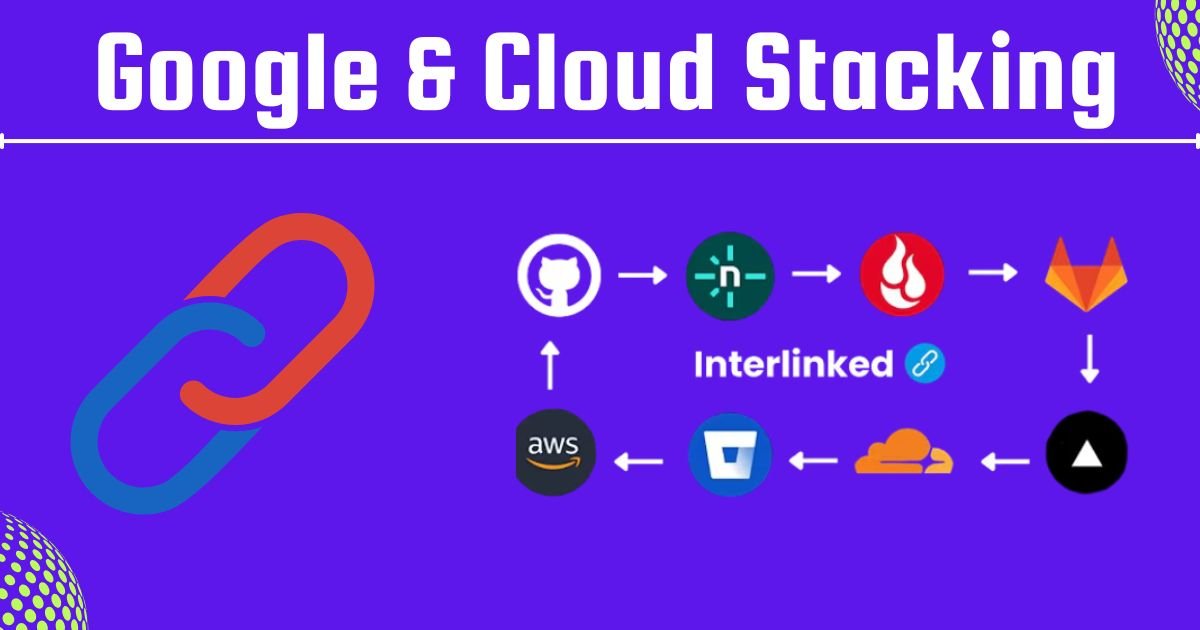
Cloud stacking is using other trusted platforms, typically cloud storage or code repositories, to host public HTML content or documents that link back to your main site or Google stack.
Common platforms are below, and here is the list of Cloud Stacking Sites Samples.
- backblaze
- aws.amazon
- github
- gitlab
- netlify
- bitbucket
- codeberg
- cloudflare
Why cloud platforms? Because:
- They are trusted, stable, and often crawled by search engines.
- You can deploy simple HTML pages or markdown files.
- They allow public visibility of your content.
How to Build a Google Stack (Step-by-Step)
Here’s how to build a Google Stack in a clean, strategic way:
Step 1: Plan Your Keywords and Topics
Before you start, decide on 3–5 focus topics. For example:
- Organic gardening
- Indoor plant care
- Soil types for vegetables
These become your content pillars. Every Google asset will relate to one or more of these topics.
Step 2: Create a Branded Google Account
Use a Google account that matches your website’s brand or service. Keep things organized. Name your files and folders clearly.
Step 3: Build a Google Site
Your Google Site acts as the central hub.
- Use pages for different topics
- Link to your Docs, Forms, and Calendar
- Keep it readable and content-rich
Step 4: Create Supporting Assets
Make the following:
- A Google Doc that explains each topic in detail
- A Google Sheet that includes indexed resource links
- A Google Form that collects opinions or shares downloads
- A Google Calendar that posts updates or events
- A Drive Folder that holds these items and is public
Use internal links across all assets. Link to your main site at least once per asset (but don’t overdo it).
Step 5: Interlink and Publish
Each asset should:
- Link to your Google Site
- Mention your focus keywords naturally
- Link out to related pages
- Be published as public or anyone with link (view only)
Explore more: Enter Your mod.io Connect Code
How to Build a Cloud Stack (Step-by-Step)
Cloud stacking may sound technical, but it’s quite easy.
Step 1: Choose 3–4 Platforms
Pick a few trusted platforms like GitHub, Netlify, Bitbucket, and AWS S3. These are enough to start.
Step 2: Create Basic HTML Pages
Write short, helpful content on each topic you want to rank for. Keep it clear and focused. Include:
- A mention of your topic
- A link to your website
- A link to a related Google asset
Upload these pages to platforms like GitHub, Netlify, or AWS. Make them public so search engines can index them.
Step 3: Upload or Deploy
- On GitHub, push it to a public repository.
- On Netlify, drag and drop to publish.
- On AWS S3, make your bucket public and serve the HTML.
Each cloud asset adds authority and links back to your core content.
Best Practices for Google & Cloud Stacking
Here are tips to keep your stack strong and helpful:
- Use unique content: Avoid copying the same content across all platforms.
- Stick to real topics: Don’t write filler content. Write things your users might actually search for.
- Make your assets public: Check permissions. “Anyone with a link” is not the same as “Public on the web.”
- Don’t keyword stuff: Keep it natural and helpful. Mention your main keyword once per asset.
- Add context: Every page should offer something, tips, a checklist, or an insight.
Measuring Success
How do you know if your stack is working? Track the following:
| Metric | Tool | Frequency |
| Keyword rankings | Ahrefs, Semrush, or Google Search Console | Weekly |
| Indexed pages | Google Search (site:) or GSC | Monthly |
| Click-through rate | Google Search Console | Monthly |
| Page views | Google Analytics | Weekly |
Stacks are long-term strategies. Don’t expect instant results. But in 2–3 months, you should see improved visibility and indexing.
FAQs
Q1: Is Google & cloud stacking allowed by Google?
Yes. As long as your content is real and helpful, using Google’s own tools or cloud services isn’t against guidelines. It’s just smart use of available platforms.
Q2: Can this help with local SEO?
Absolutely. Use your Google assets to mention your city, include location-based queries, and even embed Google Maps or Calendar events tied to your area.
Q3: Do I need coding skills for cloud stacking?
No. You can copy-paste basic HTML templates or use drag-and-drop tools like Netlify. It’s easier than you think.
Q4: How many stacks should I build?
Start with one strong Google stack and one cloud stack. Expand slowly. Quality matters more than quantity.
Q5: Will I get backlinks from this?
Technically, yes. But stacking isn’t just about backlinks. It’s about building relevance and signaling to Google that you’re an expert on a topic.
Conclusion
Google & cloud stacking is not a trend, it’s a smart, scalable way to grow your digital presence in 2025. By creating quality content on platforms that Google already trusts, you build layers of meaning, context, and connections.
It’s not about spam. It’s not a shortcut. It’s a methodical, content-driven strategy that can support your website’s SEO, especially when done alongside great on-page work.
Start with a single Google stack. Create Docs, Sites, and Forms that speak to your topic. Then add cloud-hosted content using GitHub or Netlify. Interlink everything with care. Over time, your digital footprint will grow, and so will your rankings.